


Six years in software dev has taught me this: coding skills are just the start. If you want to deliver on time and on budget you’ve also got to be on point with estimates, workflows, and keeping things transparent. And honestly? A badly written Jira ticket can mess all that up—hello, missed deadlines, burnout and wasted resources. Not cool for anyone.
Table of Contents
Ticket is the founding document which holds information of the work we need to carry on. Whenever we start adding a new feature, making improvements, or fixing a bug, it always starts with a ticket.
You’ve likely come across the phrase “garbage in, garbage out.” The idea is simple: the quality of what you put in directly determines the quality of what comes out. If the input is poor, the output will be too.
These are the red flags that signal poor input
1. Vague or unclear titles
A vague title is one that doesn’t clearly explain the work to be done. It creates problems because it makes tasks hard to estimate.
When estimation is unclear, two things usually happen:
- If the task is simple, you might overestimate it and waste time that could have gone to more important work.
- If the task is complex, you might underestimate it, which risks missed deadlines—or even burnout.
I learned this the hard way. I once created a ticket titled “As a developer, I want to refactor parts of the codebase so that it’s easier to work with.” It looked fine in sprint planning: clear user, task, and benefit. But during development, I realized there was far more to refactor than expected, and the work carried over unfinished.
That taught me to always check titles for clarity before they make it into the sprint. These days, when I see a vague title, I break it down into smaller, clearer tasks that are easier to track and deliver.
Keep things small
The issue with vague title is that they take a long time to complete, which will result in:
- Delay feedback from the testers
- It’s hard to fit neatly within a sprint
- Risk of being marked incomplete if even one small part isn’t finished, no matter how much progress was made
Uncertainty thrives in large estimates. To stay sharp and accountable, aim for smaller tasks that fit within 1–3 story points. Anything larger usually needs to be broken down.
Quick story point guide:
- 1 point → under 4 hours
- 2 points → up to a full day (~8 hours)
- 3 points → a couple of days
Keep things simple
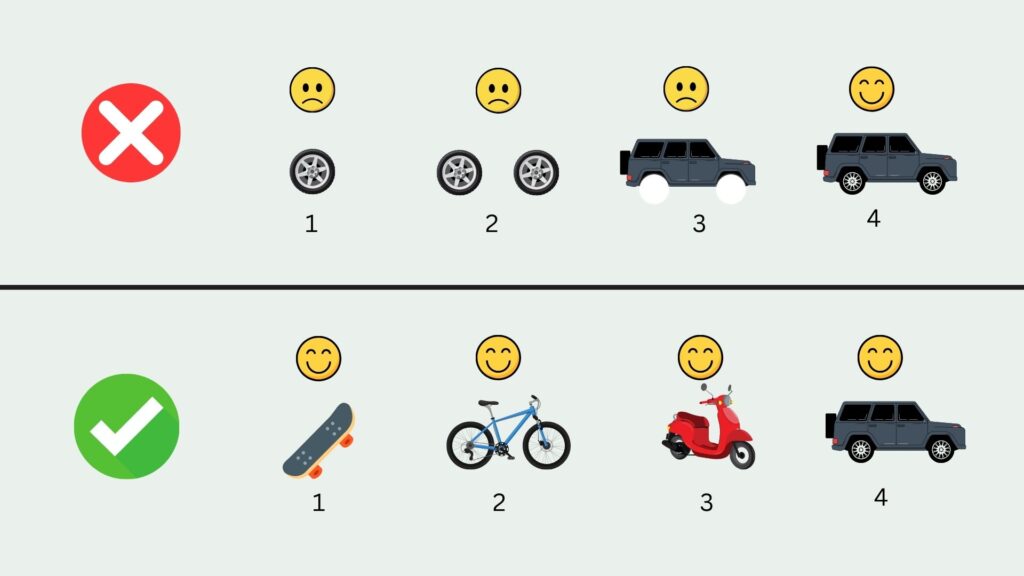
We often think in terms of big, full features, which makes issue titles vague because they try to capture too much at once. By keeping things simple, we can create issues that focus on one clear outcome, making them easier to estimate and deliver.
This is where the idea of a Minimum Viable Product (MVP) comes in — the simplest version of a product or feature that provides value with just enough functionality.
For example, instead of jumping straight into a full-featured login with:
- Forgot password and reset via email or SMS
- Two-factor authentication (2FA)
- Social logins (Google, Apple, Facebook, etc.)
- “Remember me” functionality
- Brute-force protection and account lockout
- Session management across devices
…you can start with the MVP login:
- A basic username/email + password field
- An error message if details are incorrect
- A way to stay logged in during the session
Smaller, MVP-sized tasks are faster to test with early users, quicker to build, and lighter on resources. They also reduce the risk of sinking time into features that might not be needed. From there, you can gather feedback and iterate in future sprints.
Think in scope
Scoping turns vague titles into focused tasks. The goal is to make them small enough to estimate with confidence. You can scope by:
- Layer: UI, API, DB
- Module: Product Management, User Management, Orders
- Page: Landing Page, Profile Page, Contact Us
- Tab: First Tab, Second Tab, Third Tab
- Functionality: Create, Read, Update, Delete
- Component: DataTable, Sidebar, ListBox
- Phase: Documentation, Testing, Refactoring, Security
- Scenarios: Happy Path, Alternative Path, Exception
For example, instead of “Refactor codebase,” I broke the work into smaller tasks:
✅ Refactor Component A
✅ Refactor Component B
✅ Refactor Component C
This made estimation much more accurate. And here’s the key: estimating effort is only half the equation. The other half is prioritizing based on value. When both are clear, planning gets easier, resources are used wisely, and development flows more smoothly.
2. Missing Context
Ever get a ticket that just says, “something’s broken”? Yeah, not super helpful. With no details, you can’t reproduce it, you don’t know what the user expected, and you have no clue how many people were affected. Basically, it’s a dead end.
The same thing happens in planning. If requirements are fuzzy, meetings drag on. Either we spend half the time asking questions that could’ve been answered earlier, or nobody says anything because we don’t even know where to start. Either way, it kills the flow.
It also pops up during the sprint. Someone hits a bug in peer testing, drops a vague note, and suddenly, developers are stuck playing detective. Instead of fixing things, we’re digging through Slack threads, Jira tickets, and standups. We’re bouncing between branches and browser tabs, running trial-and-error tests, and losing valuable focus time.
And vague feature requests? Same problem. Without a clear “why,” we risk building stuff that doesn’t even matter.
At the end of the day, it all comes down to context. Knowing what’s broken, why it matters, and how big the impact is makes everything easier—planning, prioritizing, and actually fixing things. With good context, we move faster, stay focused, and ship smarter.
3. Absence of mockup or design references
A missing mockup design is when a Jira ticket doesn’t have any attached or linked mockup designs. It doesn’t tell how the new feature will be used by the user?
It removes the opportunity for suggestions, valuable feedback, clarification, and raising any concerns from your colleagues, which are only realized when the sprint development is already ongoing, when someone submits a Pull Request
It also leads to multiple interpretations along the way, and and too late for the team to rectify the misunderstanding without having a consequence of multiple revisions, adding overhead, which could be prevented if added from the first place
When the gap between multiple members is significant, it gives birth to new Jira issues that add up to the next sprint planning
Attaching a mockup design allows the developers to give feedback, suggest alternative solutions, clarify important details, and raise any concerns in the design as early as possible
4. Lack of acceptance criteria
Acceptance criteria is the compass for every ticket—it tells you exactly when the work is truly done. Without it, the ticket feels unfinished from the start and leaves everyone guessing.
It also makes estimation easier. Think about planning poker: without clear criteria, it’s hard to explain why something might take two hours or two days. With criteria, the whole team sees the complexity and can size it fairly.
During development, acceptance criteria protect the scope. Without them, extra “nice-to-haves” sneak in during testing. Suddenly a simple login flow grows into password resets, captchas, and email checks—none of which were planned.
And finally, criteria act as the tester’s checklist. Instead of debating what “done” means, peers can simply walk through the list. If it passes, it’s finished. If not, it’s clear what still needs work.
5. Issues not linked to related tasks
You keep trying to figure out why something isn’t working. You push harder, only to realize later that the issue wasn’t even on your side—maybe there’s an ongoing refactor, a deployment in progress, or a bug already being fixed. Sometimes it’s simply because the task isn’t finished yet, or someone else made a change that affected your work.
In moments like that, you wish the issue had been linked to your current task. That way, you wouldn’t waste so much time chasing something you couldn’t control in the first place.
The same thing happens when you’re looking for related issues to review. Instead of finding them quickly, you end up digging through the backlog, losing more time than necessary.
This is the real problem with Jira tickets that don’t use linked tasks and dependencies—they leave you blind to context and slow down your progress.
While writing quality Jira tickets can be tricky, using a structured approach makes it easier. Check out this ready-to-use Jira template to streamline your workflow and avoid common pitfalls.
6. Decisions made without records
You’ve probably heard this before: “Wait, I thought it was supposed to work this way,” and then someone else says, “Oh, me and X talked on <Insert Tool, Person Name> and decided to change it.”
That’s what happens when context is missing; they get the info in another way
They turned to Slack, Bitbucket, MS Teams, or even in person during breakout sessions—but if the info doesn’t make it back to the Jira ticket, it gets lost in someone’s head or buried in a thread.
When that happens, things slow down, people get confused, and silos start to form. The fix is simple: keep everything—questions, decisions, feedback, and clarifications—inside the Jira ticket so everyone stays on the same page.
7. No defined test instructions
In large projects, no one can master the entire domain alone, so testers often rely on guidance from the main developers to work efficiently.
Test instructions are brief guidelines added to an issue to show how to test it. For example, Login Functionality instructions might look like this:
Test Instructions:
- Open the application – go to the login page of X.
- Enter username – type a valid username.
- Enter password – type the corresponding password.
- Click Login – press the login button.
- Verify successful login – confirm the user is redirected to the dashboard/home page.
- Test invalid login – enter an incorrect username or password and check for an error message.
- Check password visibility (optional) – use the show/hide password icon.
- Test logout (optional) – log out and ensure you return to the login page.
To make testing faster, we often use deep links, so testers don’t have to manually replicate the application state.
Regular Link vs. Deep Link
- Regular link: Directs a user to a homepage or main entry point. The user must navigate further to reach the desired content.
- Example:
https://crmapp.com/records→ Opens the main records page, and the tester must search for a specific customer record.
- Example:
- Deep link: Takes the user directly to a specific record or page within a website or app.
- Example:
https://crmapp.com/records/56789→ Opens the page for customer record ID56789immediately, saving time and reducing extra steps.
- Example:
Screenshots
Screenshots are another way to speed up testing. Highlight or annotate areas of the UI that should change, which is especially helpful when comparing multiple values or checking visual details that would be tedious to describe step by step.
Without test instructions, testers can be slowed down and may perform unreliable checks. Clear instructions help them verify that an issue works as expected and allow them to quickly return to their other tasks.
8. No proof of testing completed
No proof of testing completed contributed to bad Jira ticket for the following reasons:
- Without proof, the main developer is not sure if the issue is properly verified whether it cover the right scenarios or not
- There’s no evidence the feature or bug fix actually worked which makes QA spend more time rechecking.
- If something is broken, there’s no reference for what scenarios were originally covered.
If you want to improve the Jira ticket whenever you test the issues, you need to add a screenshot or a recording of the result. It promotes transparency which build the team trusts
9. Progress left undocumented
Skipping progress updates might feel harmless, but it creates problems fast. Without them, there’s no trail to look back on during retros, and planning similar tasks in future sprints gets harder. You lose valuable lessons that could have made the next round smoother.
It also cuts off collaboration. Maybe the developer next to you knows a faster solution or spots a potential issue early. Without updates, you miss those insights and end up finding problems much later in code review.
And then there’s the team impact. If others rely on your work, they might be stuck waiting without realizing it’s delayed. That stalls not just your task, but the whole sprint.
On top of that, documenting progress works like leaving breadcrumbs for yourself. By jotting down what you did today and what needs doing tomorrow, you won’t waste time trying to recall where you left off. It helps you avoid delays and keep your momentum.
At the end of the day, documenting progress isn’t busywork—it’s how we share knowledge, avoid wasted effort, and keep the team moving forward.
Example of comment made inside jira ticket
📅 Progress Summary – August 25, 2025
- ✅ Implemented backend API for adding items to the cart and tested it.
- ✅ Integrated the frontend button with the API and confirmed items update in the cart.
- ✅ Added a cart badge counter in the navbar and basic error handling.
- ✅ Wrote unit and integration tests.
Pending:
- 🔄 Handle duplicate items.
- 🔄 Add UX polish (e.g., success message).
Blockers:
- ⚠️ API response was inconsistent in staging during the morning, causing delays in integration.
- ⚠️ Spent extra time clarifying requirements for cart badge behavior with the UX designer.
- ⚠️ Test environment went down for 30 minutes in the afternoon, slowing validation.
📅 Planned Tasks – August 26, 2025
- 🔄 Improve cart UI for better user experience.
- 🔄 Conduct end-to-end testing across devices and browsers.
- 🔄 Add validation to prevent duplicate items in the cart.
- 🔄 Implement success notification (toast) after adding an item.
10. Missing Due Date
Imagine this: you’re in a sprint with five issues to complete. You dive into the first one and keep polishing, tweaking, and overthinking it. Before you know it, most of the sprint is gone—and the other four issues are barely touched.
That’s Parkinson’s Law in action: “work expands to fill the time available for its completion.” Without due dates, it’s easy to spend too much time on one task while the rest fall behind.
Overestimating only makes things worse. A task that could have been done in half a day ends up eating two or three. That wasted time comes straight out of the team’s resources.
And when the clock finally runs out? Corners get cut. Code goes uncleaned, tests are skipped, edge cases are missed, and the user experience takes a hit. Push too hard, and you risk burning out altogether.
Don’t miss this—Grab Your Free Jira template!